CircleCi Runner
CircleCi Runner is a tool that allows you to run your jobs and send the results back to CircleCi. It is used in conjunction with CircleCi CI/CD, the open-source continuous integration service included with CircleCi that coordinates the jobs.
1 - Obtaining Your CircleCi Resource Class Token
To get your TeamCity token, you need a TeamCity account. If you don’t have one, you can create an account here.
- On the main dashboard, navigate to the Self-Hosted Runners section in the sidebar.
- Click on Create Resource Class.
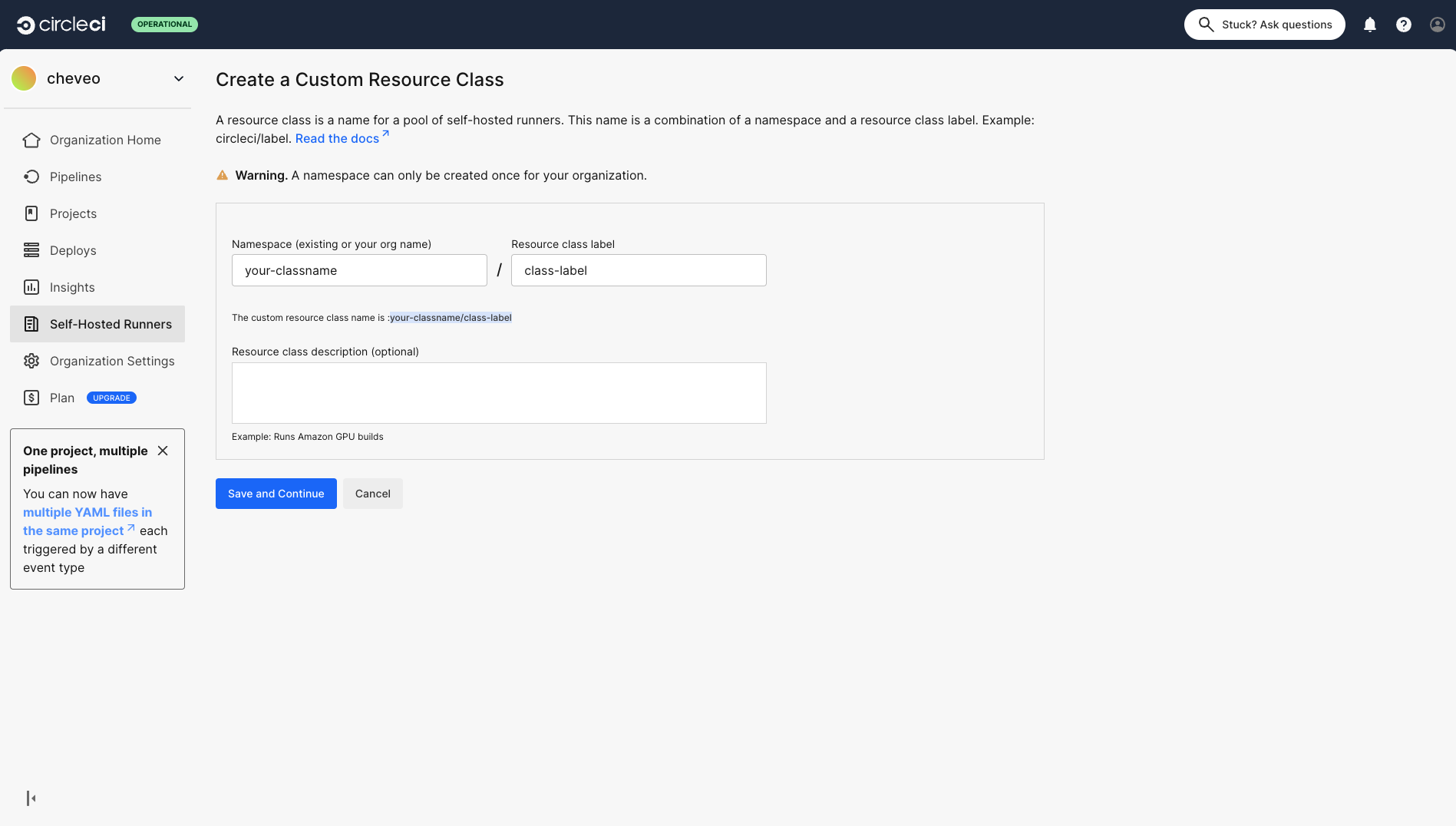
- Make sure to copy the Resource Class Token for use in the next step.
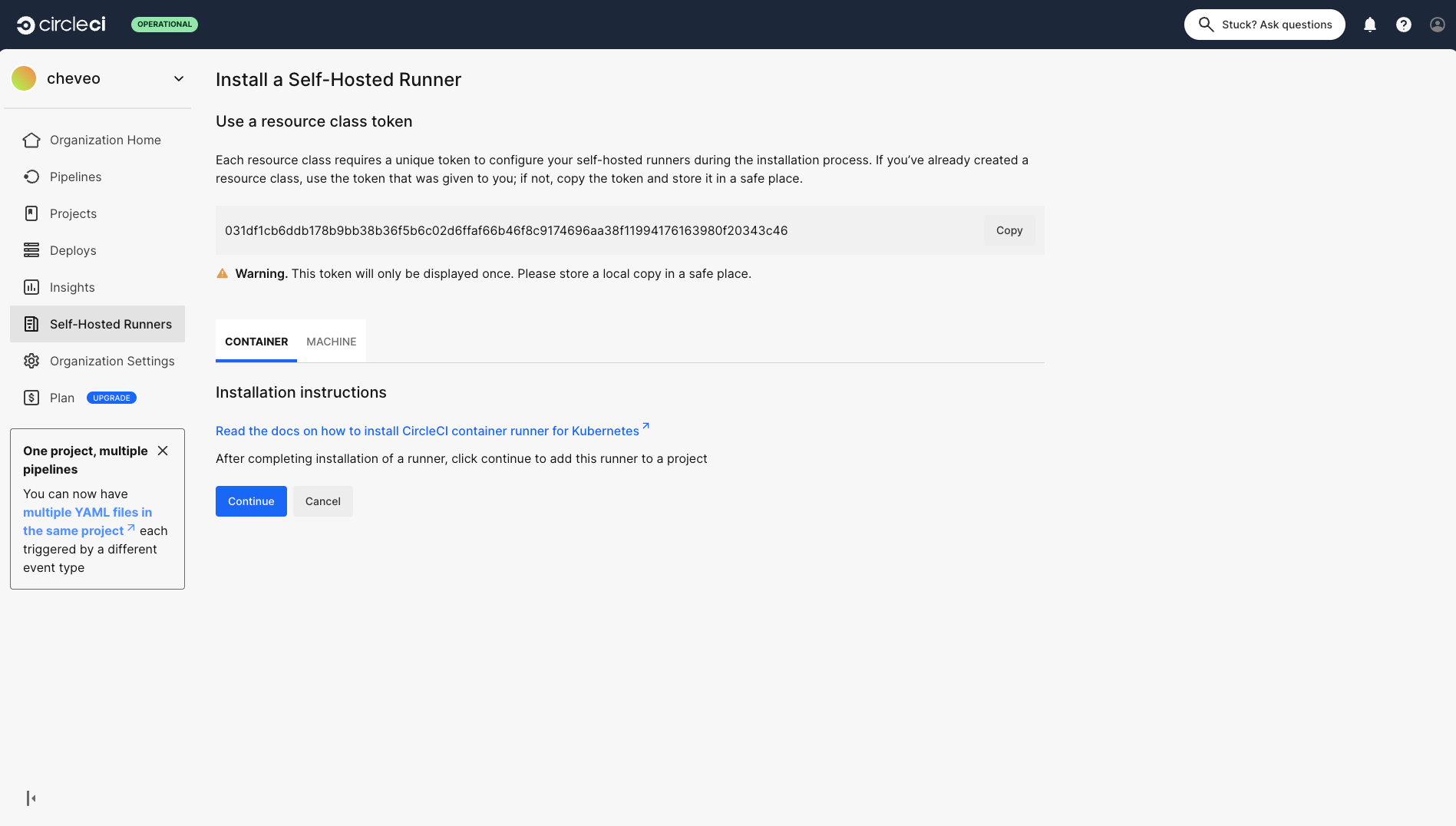
2 - Deploying an Einfach Cloud CircleCi Runner
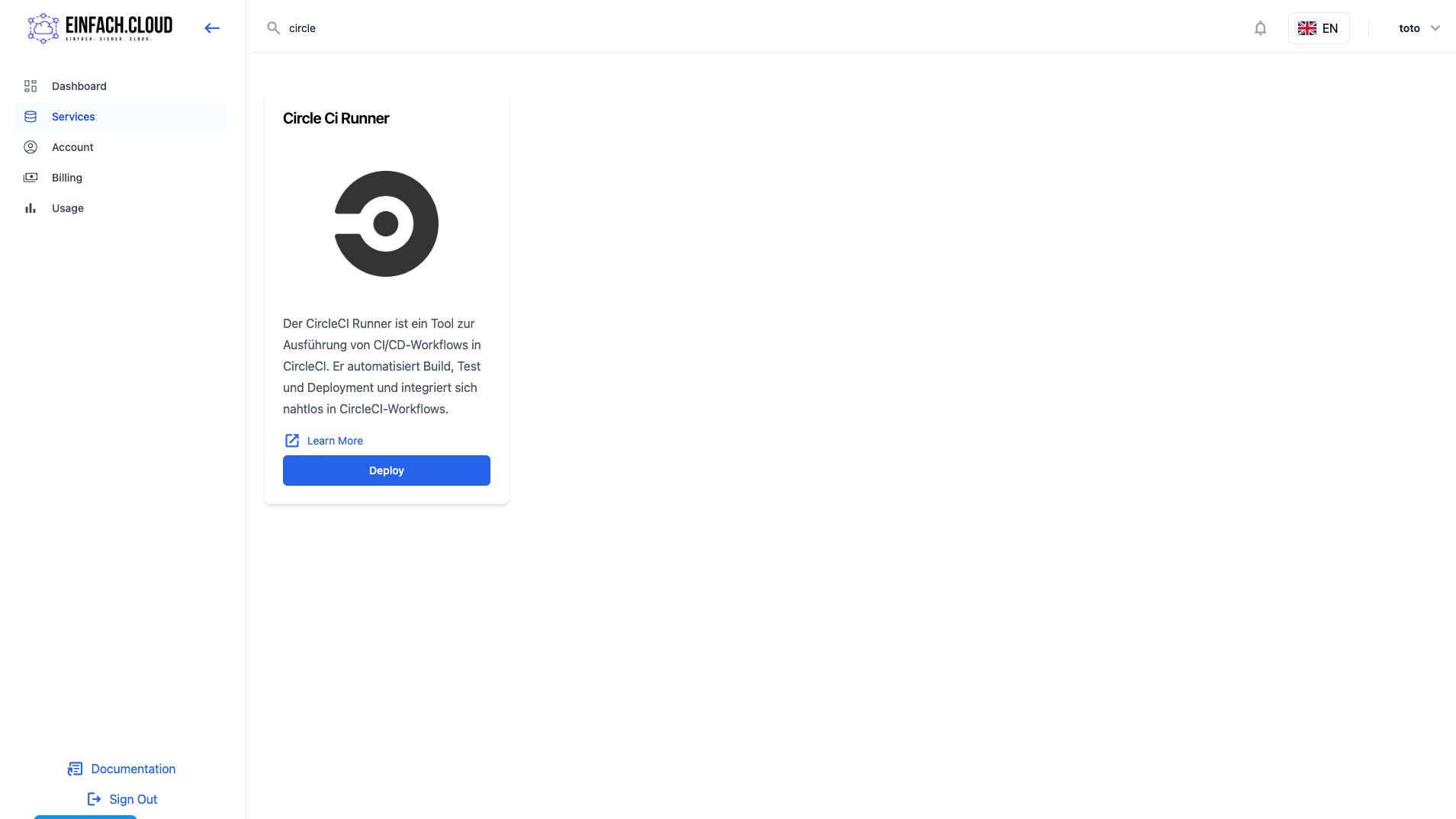
- On the Services page, select the CircleCi Runner service.
- Create a new runner by filling in the required fields, selecting the necessary resources, and clicking Add CircleCi Runner.
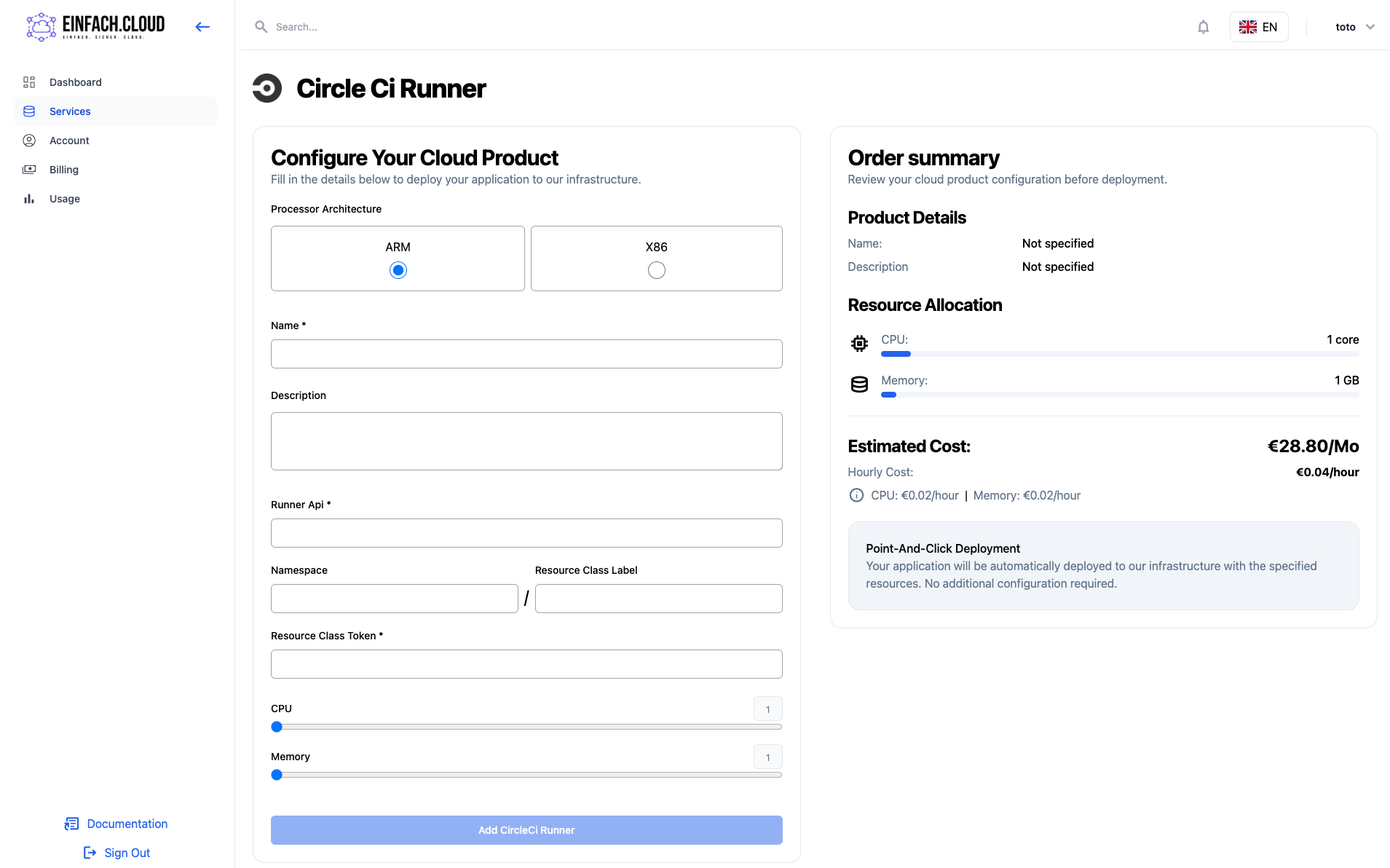
You will then be prompted to enter your payment details. Once successfully processed, the agent will be created. Wait until your runner status appears as Healthy.
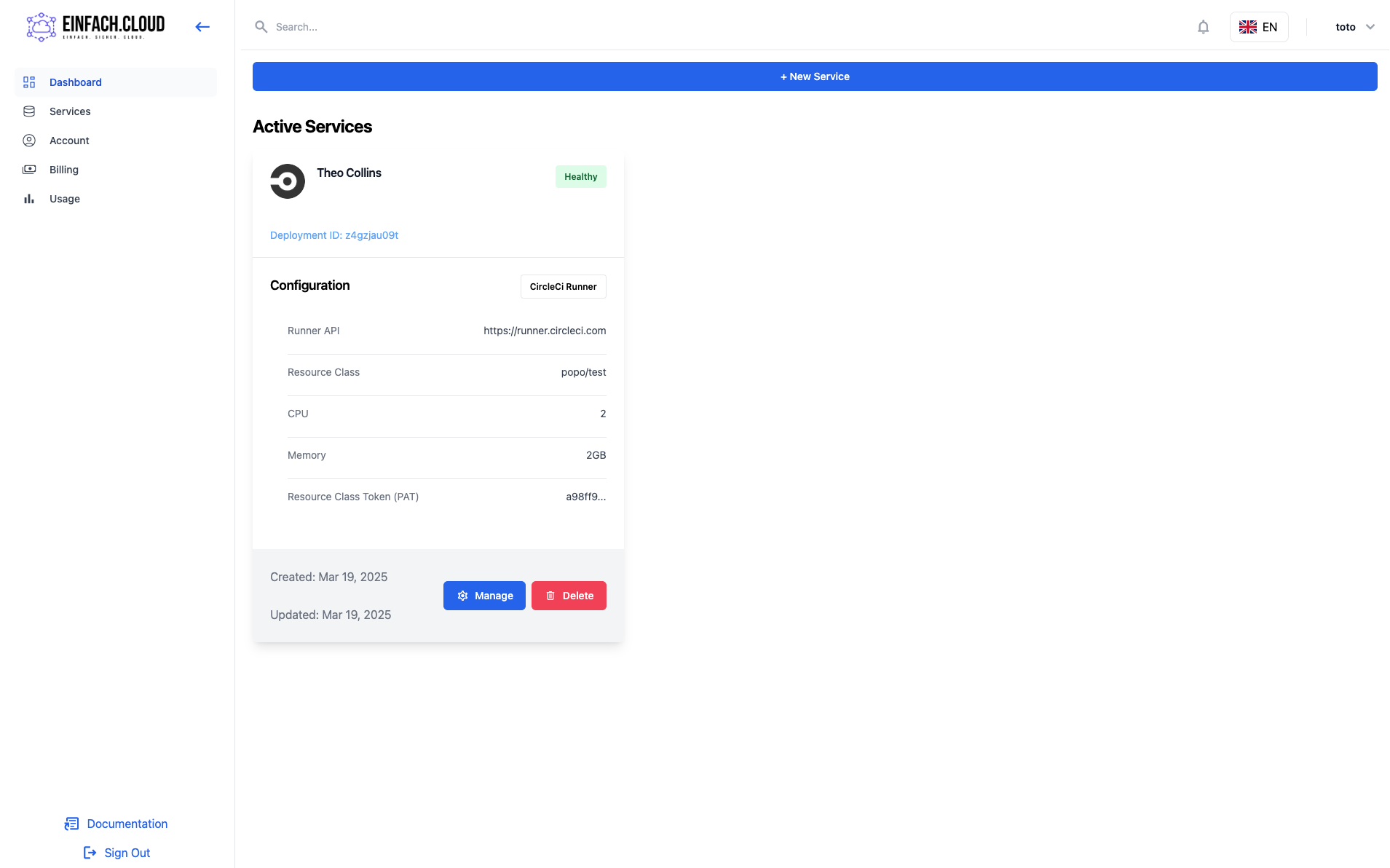
Your CircleCi Runner is now deployed and ready to execute jobs 🚀.